

Latest Version
Update
August 17, 2026
August 17, 2026
Developer
Vikramshila Softwares
Vikramshila Softwares
Categories
Tools
Tools
Platforms
Android
Android
Downloads
0
0
License
Free
Free
Package Name
com.vikramshilasoftwares.remote_mouse
com.vikramshilasoftwares.remote_mouse
Report
Report a Problem
Report a Problem
More About WiMouse– Remote Mouse Keyboard
Turn your phone into a wireless mouse, keyboard, and trackpad for your Windows PC or Mac — no cables, no setup hassle.
Just connect your phone and computer to the same WiFi network, install the free WiMouse Desktop Client (available on the Microsoft Store for Windows and Mac App Store for macOS), and start controlling your computer in seconds.
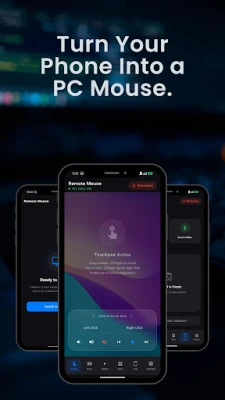
🖱️ Use Your Phone as a Mouse & Trackpad
WiMouse turns your phone screen into a smooth multi-touch trackpad. Move your cursor, click, scroll, and gesture — just like a real touchpad. Works great as a phone as mouse replacement for both Windows and Mac.
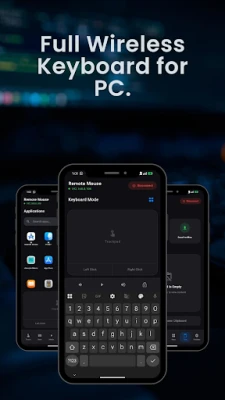
⌨️ Full Wireless Keyboard
Type on your phone and it appears instantly on your PC or Mac. Ideal for when your keyboard is out of reach or you're presenting from across the room.
📊 Presentation Remote
Slide through PowerPoint and Keynote decks wirelessly. WiMouse works as a reliable presentation clicker — forward, back, and laser pointer gestures, all from your phone.
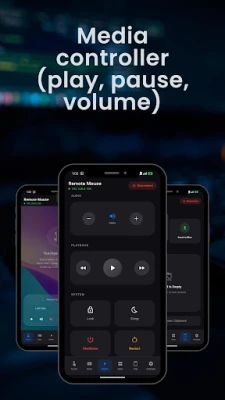
🎵 Media & Volume Controller
Play, pause, skip tracks, and adjust volume without touching your computer. Perfect for music, videos, and streaming from a distance.
⚡ Fast, Lightweight & Reliable
Ultra-low latency — smooth and responsive control
Minimal battery drain on your phone
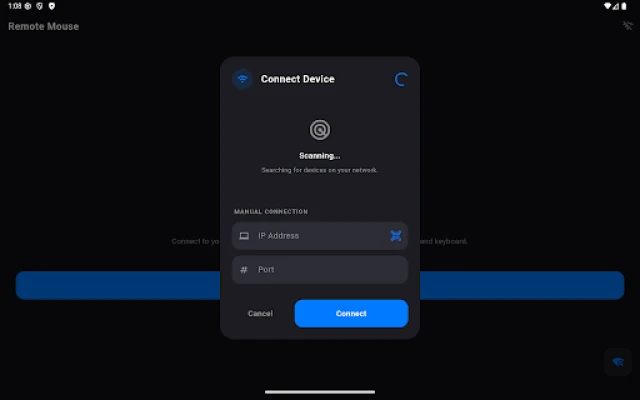
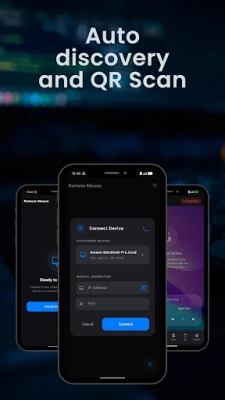
Stable WiFi connection with auto device discovery
Clean, simple interface — no clutter
🔒 Setup in 3 Steps
Install WiMouse Desktop Client on your Windows PC or Mac (free — search "WiMouse Desktop Client" on Microsoft Store or Mac App Store)
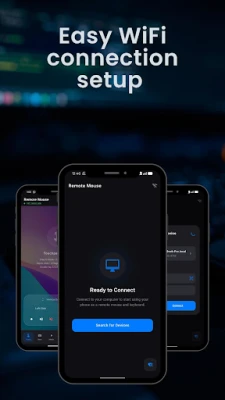
Connect both devices to the same WiFi network
Open WiMouse on your phone and start controlling
💻 Works With
Windows 10 / Windows 11 — laptops and desktops
macOS — MacBook Pro, MacBook Air, iMac, Mac mini
🖱️ Use Your Phone as a Mouse & Trackpad
WiMouse turns your phone screen into a smooth multi-touch trackpad. Move your cursor, click, scroll, and gesture — just like a real touchpad. Works great as a phone as mouse replacement for both Windows and Mac.
⌨️ Full Wireless Keyboard
Type on your phone and it appears instantly on your PC or Mac. Ideal for when your keyboard is out of reach or you're presenting from across the room.
📊 Presentation Remote
Slide through PowerPoint and Keynote decks wirelessly. WiMouse works as a reliable presentation clicker — forward, back, and laser pointer gestures, all from your phone.
🎵 Media & Volume Controller
Play, pause, skip tracks, and adjust volume without touching your computer. Perfect for music, videos, and streaming from a distance.
⚡ Fast, Lightweight & Reliable
Ultra-low latency — smooth and responsive control
Minimal battery drain on your phone
Stable WiFi connection with auto device discovery
Clean, simple interface — no clutter
🔒 Setup in 3 Steps
Install WiMouse Desktop Client on your Windows PC or Mac (free — search "WiMouse Desktop Client" on Microsoft Store or Mac App Store)
Connect both devices to the same WiFi network
Open WiMouse on your phone and start controlling
💻 Works With
Windows 10 / Windows 11 — laptops and desktops
macOS — MacBook Pro, MacBook Air, iMac, Mac mini
Rate the App
Add Comment & Review
User Reviews
Based on 0 reviews
No reviews added yet.
Comments will not be approved to be posted if they are SPAM, abusive, off-topic, use profanity, contain a personal attack, or promote hate of any kind.














More »

Popular Apps

Dragon Mania LegendsGameloft SE

CloudMoon - Cloud GamingCloudMoon Inc.

Shattered Pixel DungeonShattered Pixel

Airlearn - Learn LanguagesUNACADEMY INC

Cast Web Videos to TV - iWebTVRoku Chromecast Samsung FireTV

Chatspin - Random Video ChatTalk to strangers face to face

Supernova AI Spoken English24/7 Personal AI Tutor

PUBG MOBILELevel Infinite

FlipaClip: Create 2D AnimationVisual Blasters LLC

Mochi Live TVBruno-chanrio
More »
Editor's Choice

Evernote - Note OrganizerEvernote Corporation

Zoom Workplacezoom.com

Notion: Notes, Tasks, AINotion Labs, Inc.

TikTokTikTok Pte. Ltd.

Life360: Live Location SharingLife360

Family360 - GPS Live LocatorFamily360 - GPS Locator

ClassDojoClassDojo

ABCmouse – Kids Learning GamesAge of Learning, Inc.

YouTube KidsGoogle LLC

Google Family LinkGoogle LLC
 Android
 iOS
iOS